5
work layers
How I work
Before designing screens or connecting automations, I define the full journey: customer, data, states, alerts, internal panel, and business response.
The result is a clear base for building faster, with less improvisation and decisions that can be validated.
5
work layers
1
complete flow
0
loose screens
100%
outcome oriented
Project criteria
The visual layer, form, automation, and internal panel are treated as one system. If a section does not help capture, organize, or respond better, it gets simplified.
What gets defined
What gets validated
Specification
This layer turns a general idea into operational decisions: who is involved, what they can do, which data exists, which states matter, and where exceptions can appear.
I separate customer, business, internal panel, and automation so it is clear who starts the action, who decides, and who receives the alert.
Requests, bookings, services, statuses, and notifications become concrete entities that can later live in a database and admin panel.
Duplicates, priorities, status changes, confirmations, and manual routes are defined before the form is connected to n8n.
Work evidence
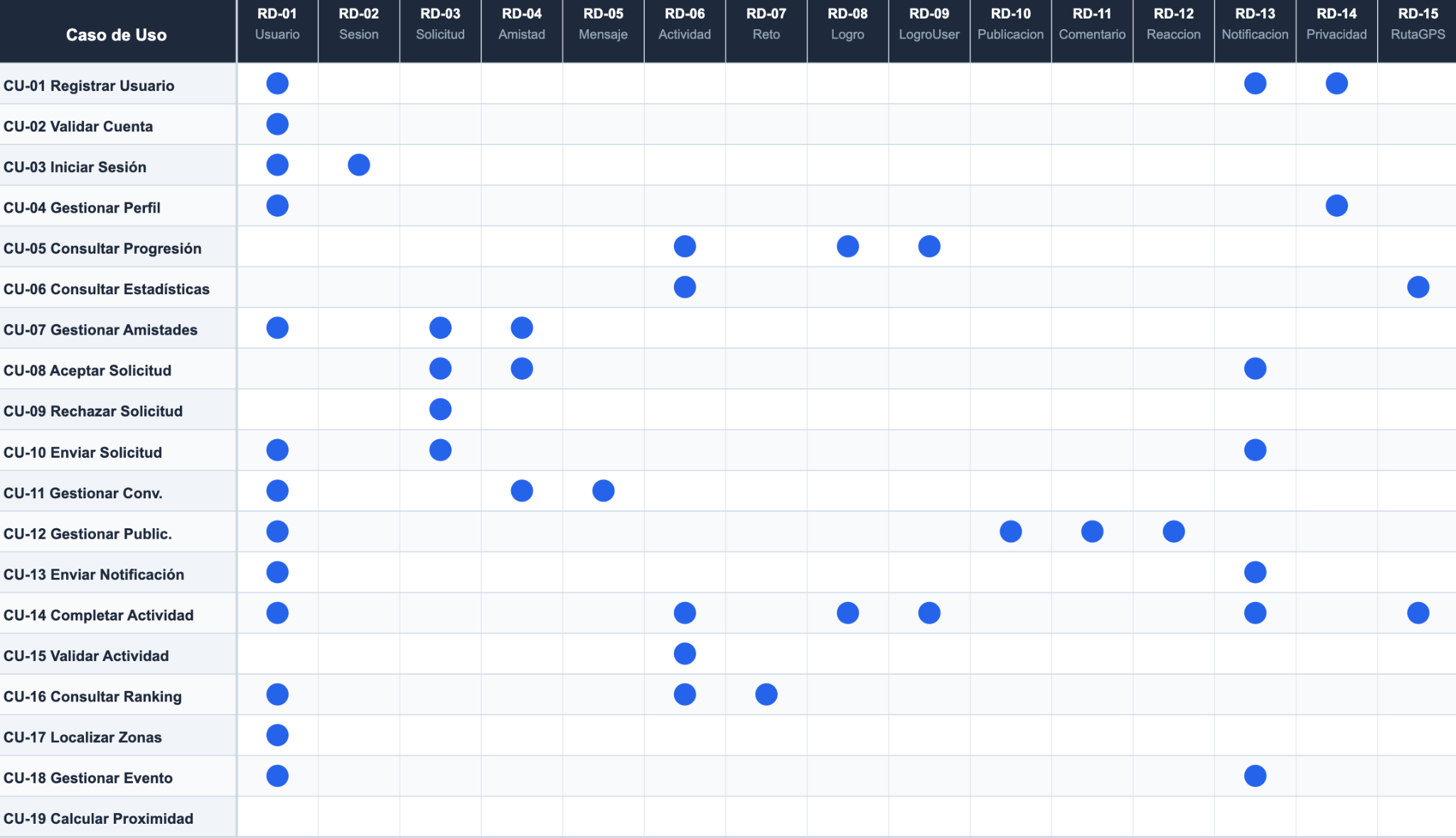
This map forces precision around what data exists, which actions depend on it, and where business decisions connect to the interface and operational logic.
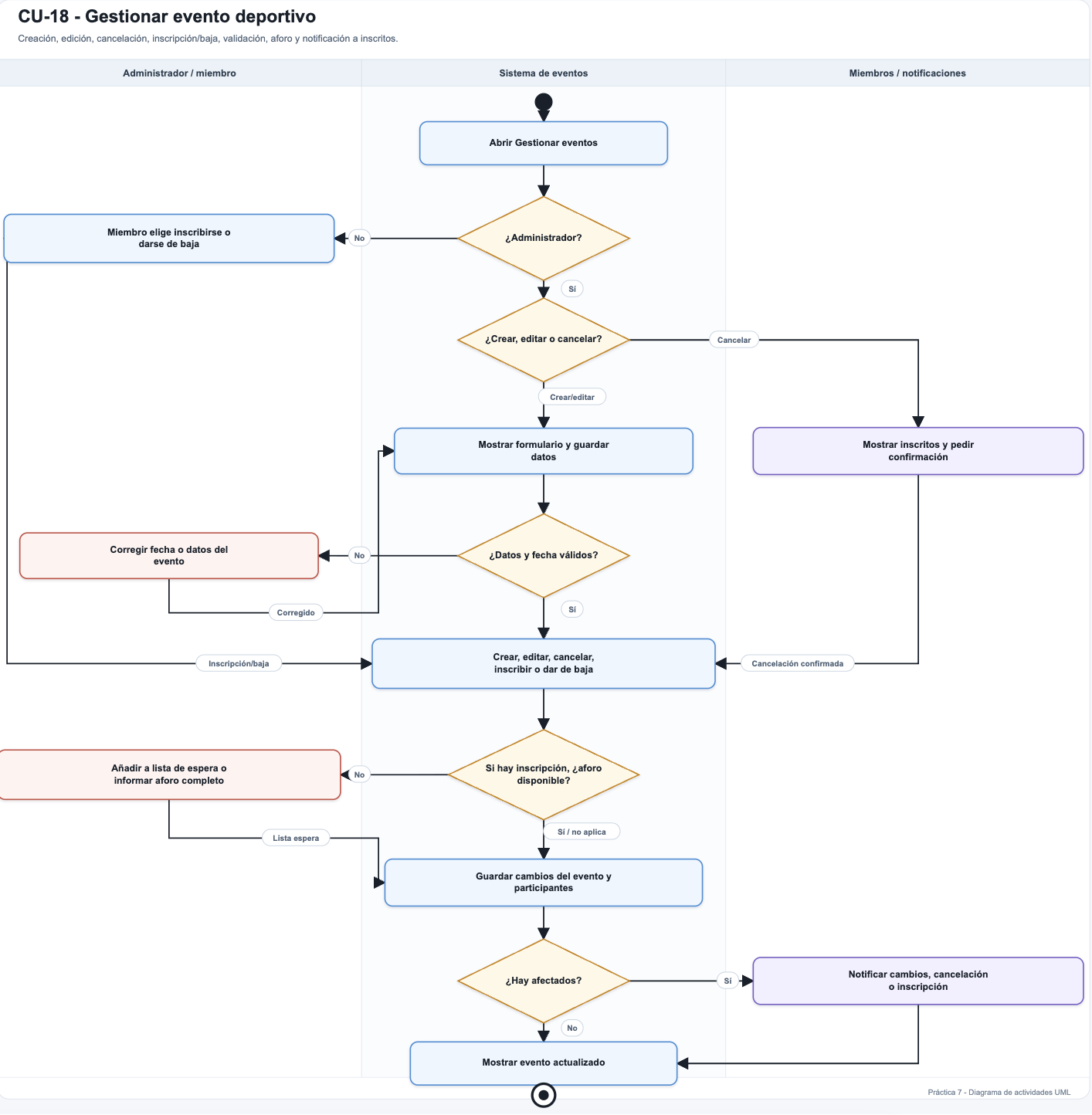
The activity diagram helps review journey, states, and exceptions before code exists. That reduces improvisation and avoids reworking flows once real complexity appears.
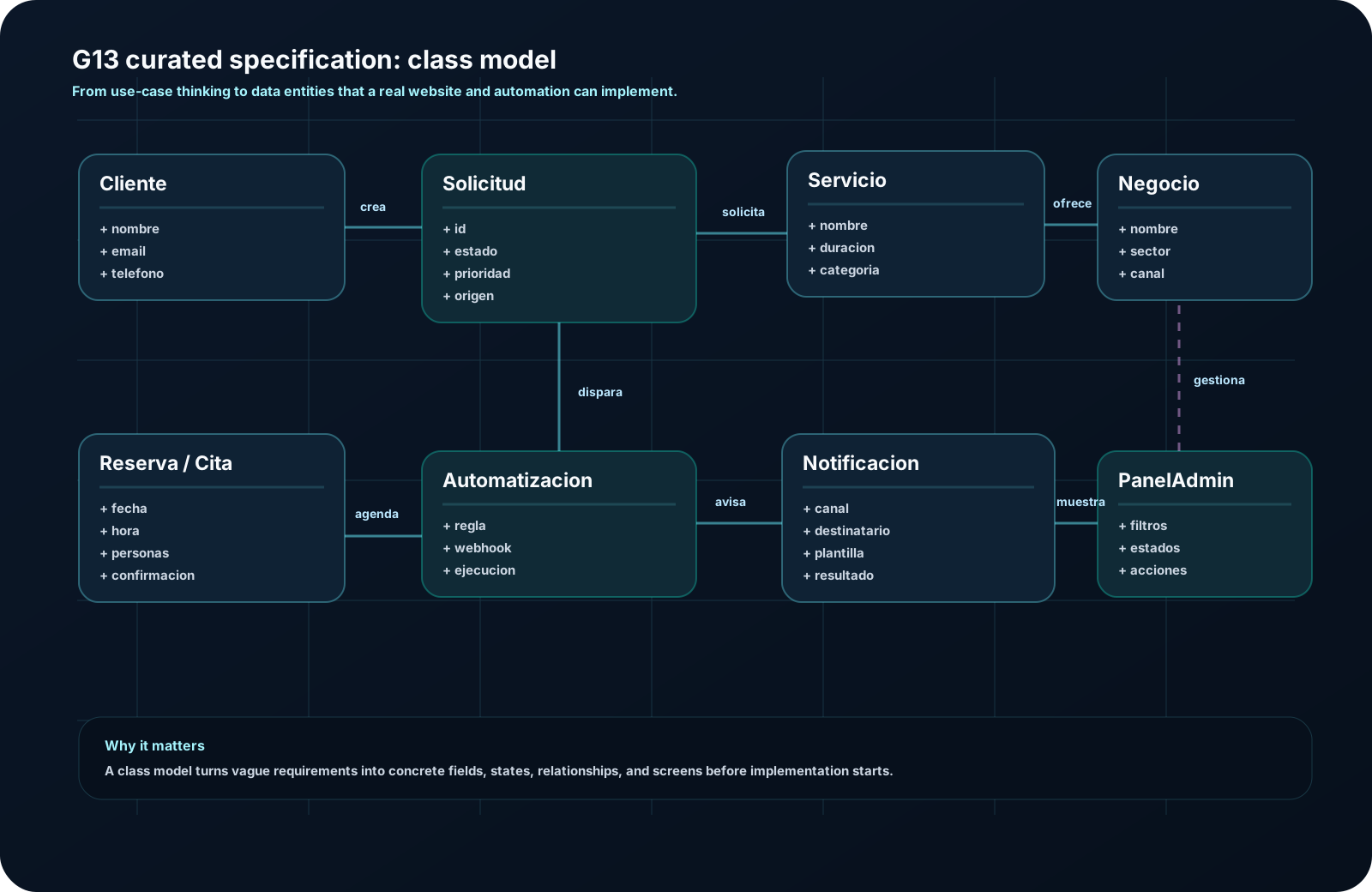
The model connects customers, requests, bookings, services, automations, notifications, and the internal panel. It helps decide data and relationships before building.
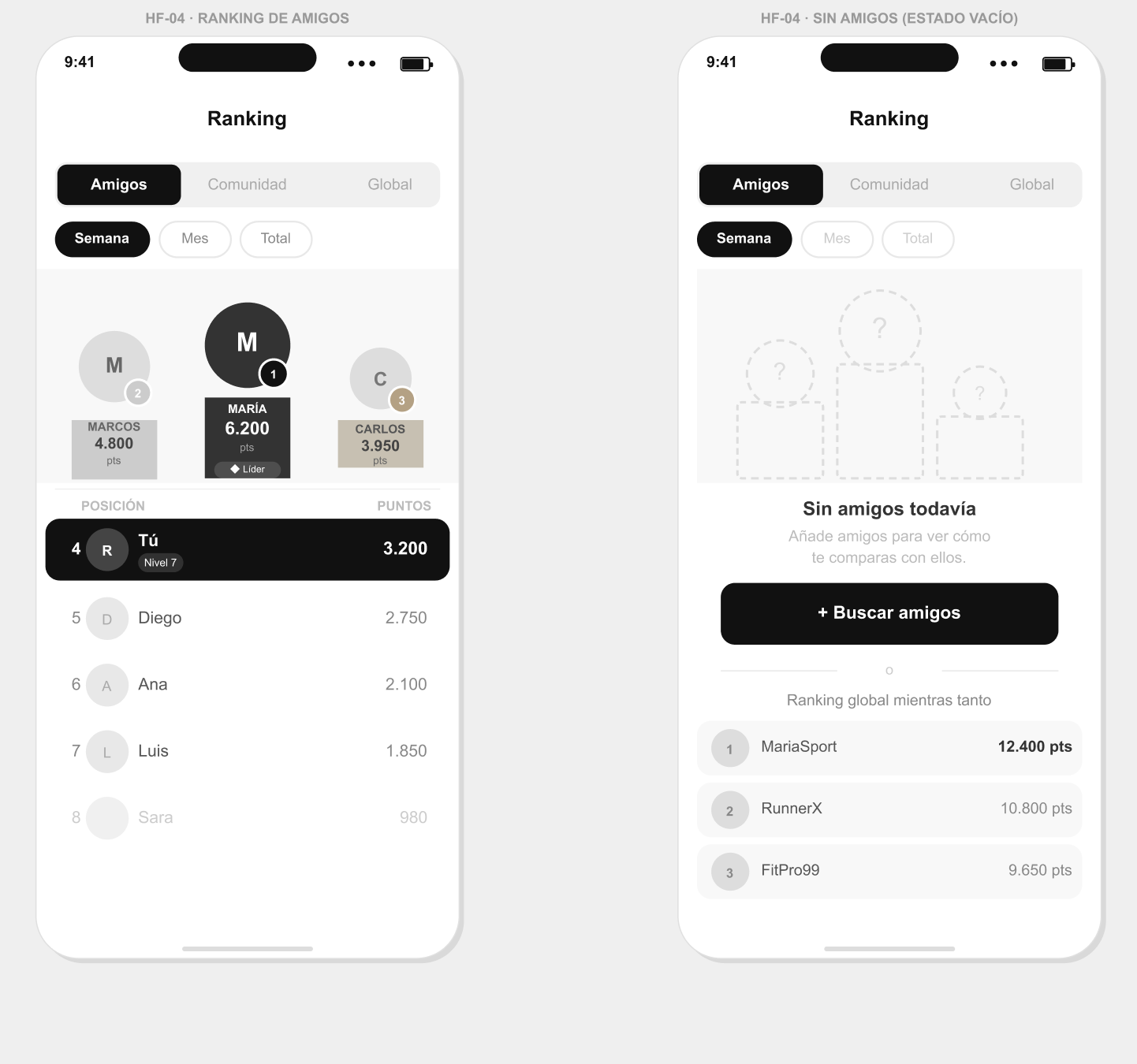
High-fidelity screens make it easier to discuss hierarchy, content, and the main action with stronger criteria than a verbal description or an isolated form.
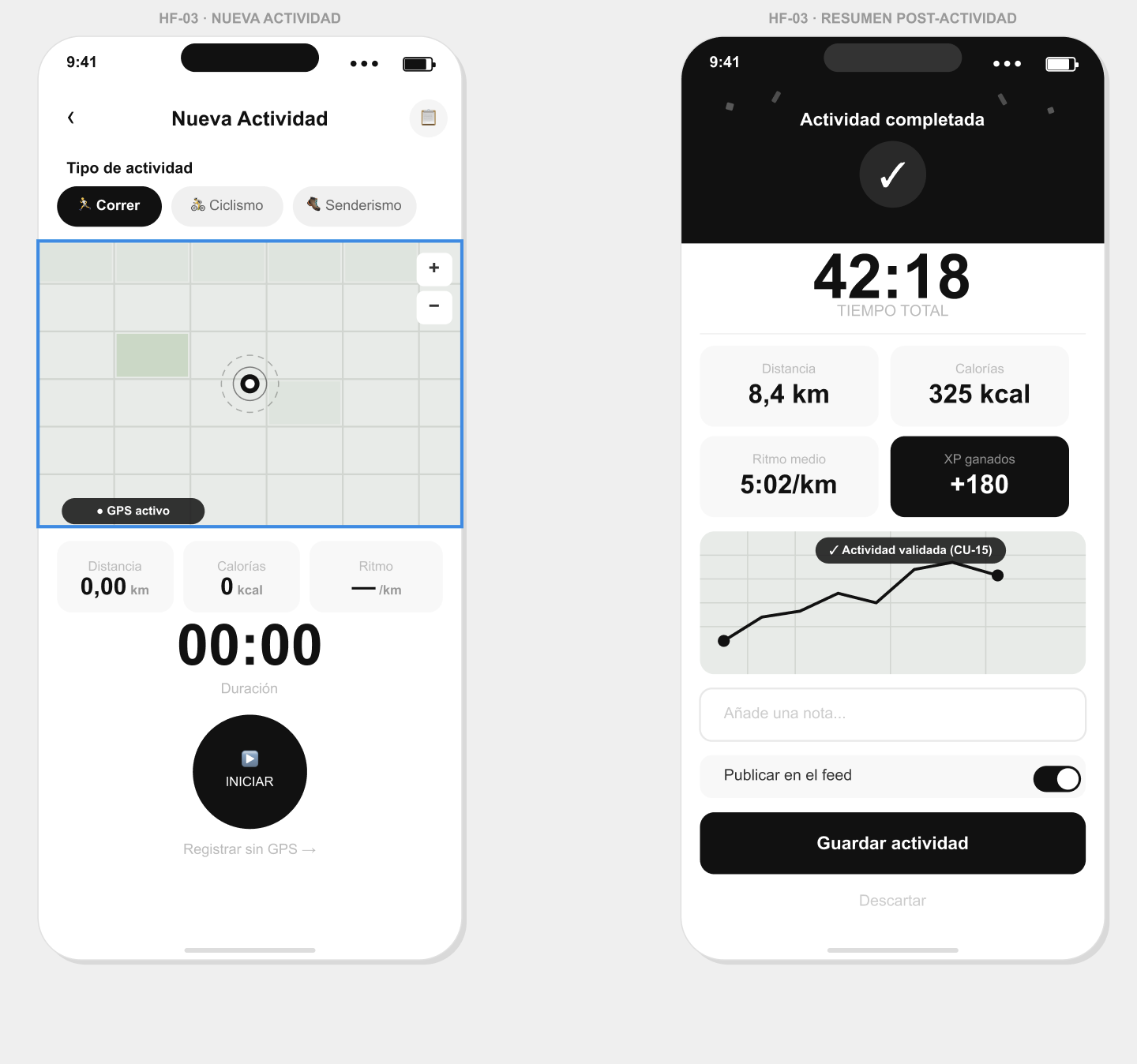
This is not just a nice screen. The visual flow already shows how steps, decisions, and friction points fit together before implementation.
Client translation
For a client, this layer is not delivered as a report. It becomes a short and practical process used to define the solution before building it.
Next step
When the flow is defined from the start, the website can capture better, the automation responds with more context, and the business works with more control.